Software for the work of care.
A closer look at the workflows behind Hubshift and the upcoming Avela CRM, from shared support rosters and mobile progress notes to evidence review.
Hubshift
Fullstack Software Developer
November 2025–present
My work spans brainstorming, planning, design, implementation and AWS deployment. The desktop screens show the application running locally with a populated test organisation. Mobile screens and walkthroughs come from the app’s existing simulator demos.
Names, schedules and figures shown are demo content, not customer results.
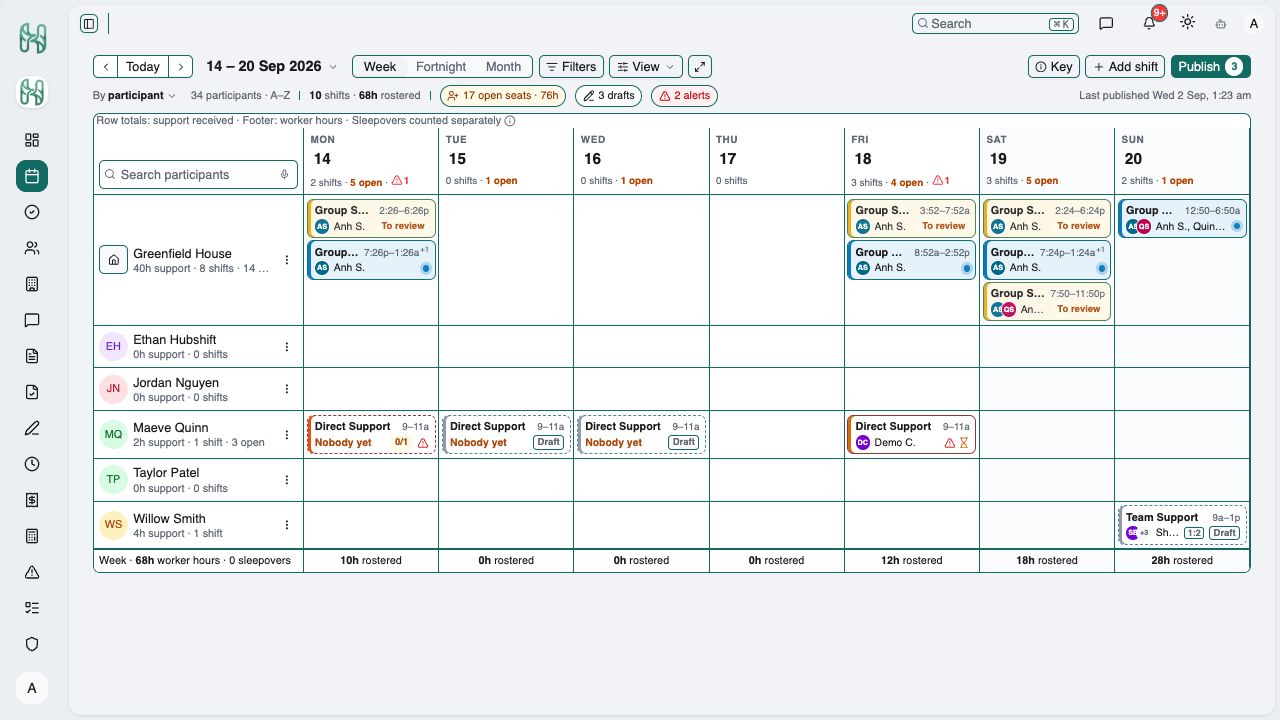
See the roster and its gaps together.
The week view brings shared house support and individual participant shifts into one calendar. Open seats, draft shifts and alerts sit beside scheduled work, with separate participant support and worker-hour totals.
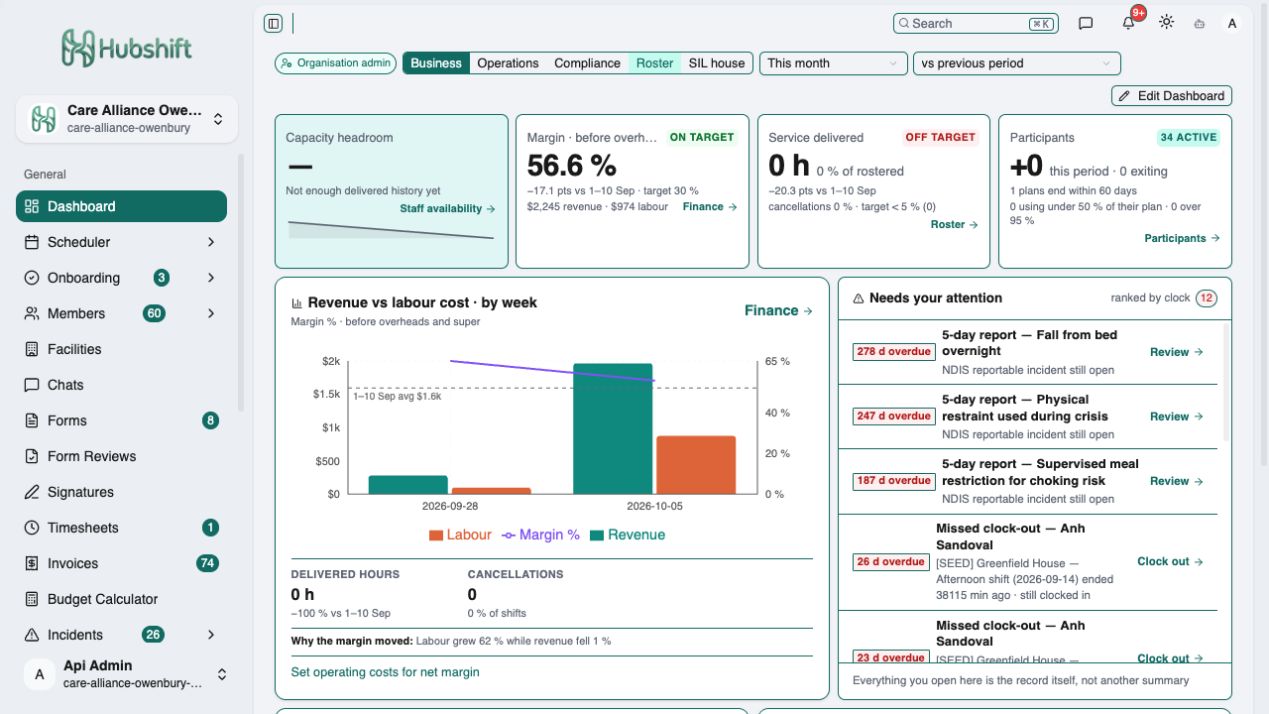
Bring operational priorities into view.
The business dashboard combines participant activity, service delivery, revenue and labour costs. An attention queue surfaces records that need action, including staffing gaps, approvals and outstanding invoices.
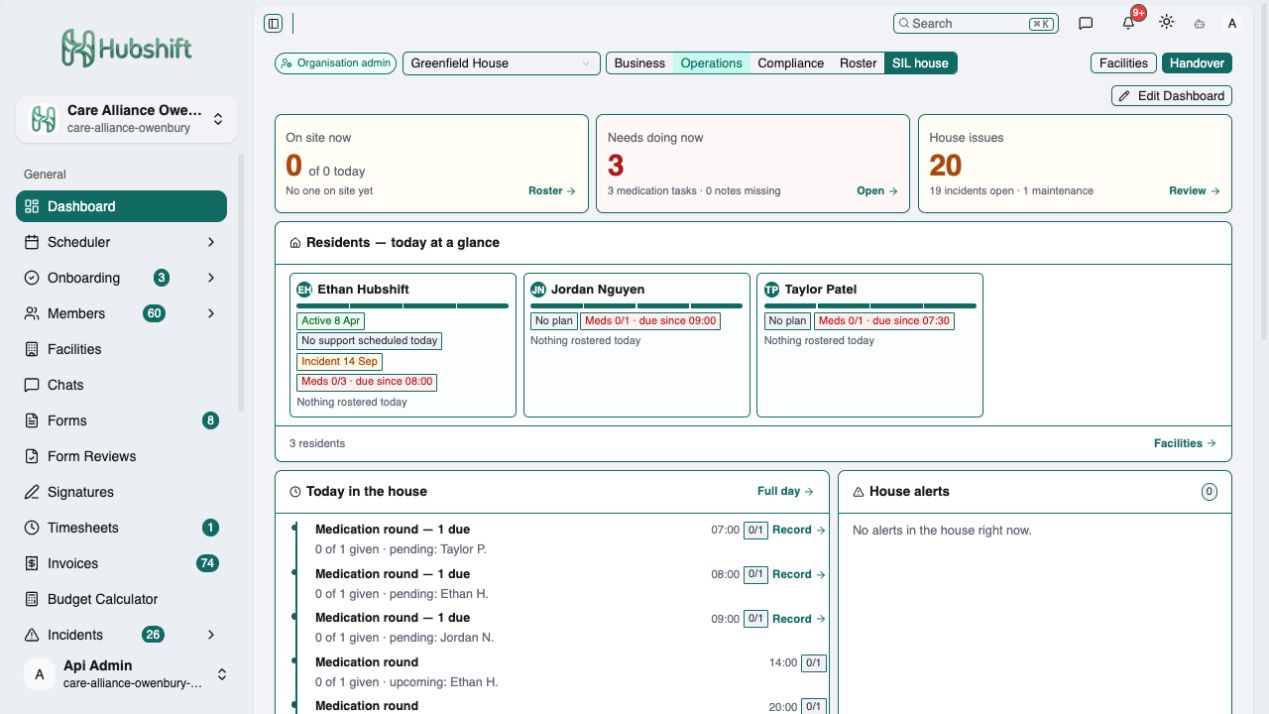
A daily view of a supported living house.
The SIL house dashboard brings resident summaries, support coverage, medication tasks and house issues together. Staff can see what is due and open the relevant workflow from the same place.
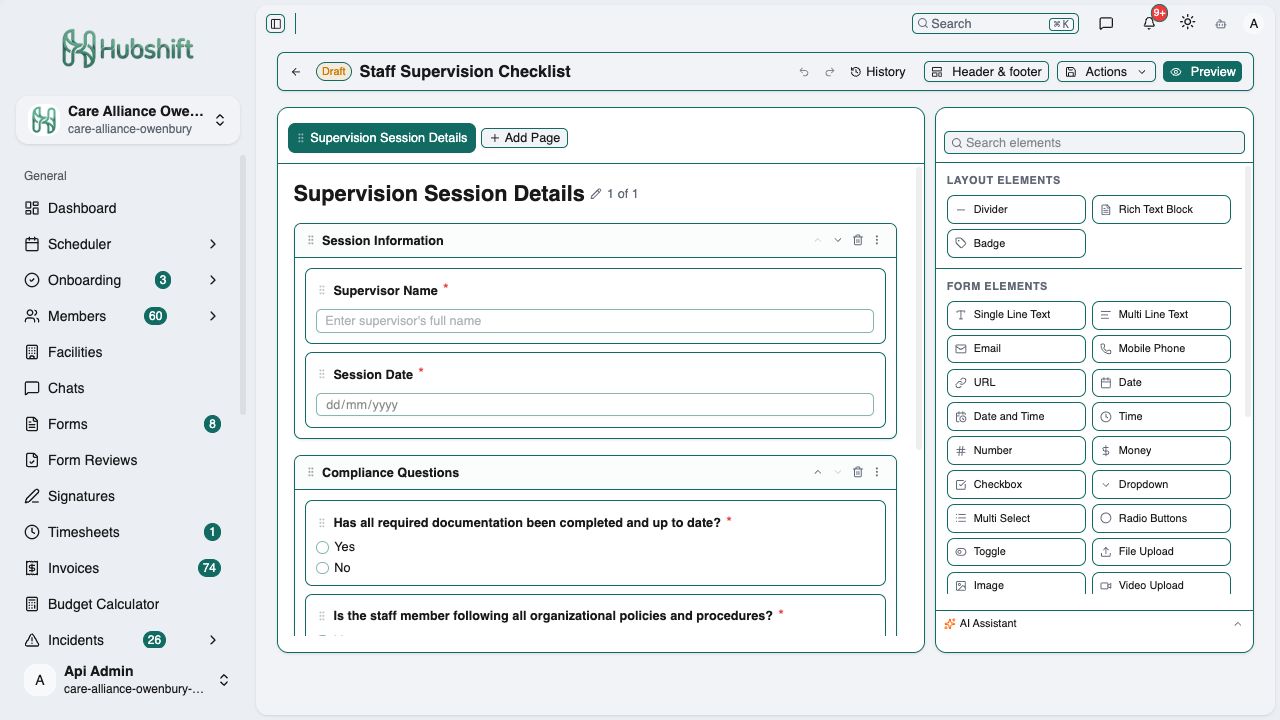
Build forms around the organisation’s process.
A visual editor organises forms into pages and sections, with fields for text, dates, choices, files and more. The staff supervision example shows required questions, preview controls and version history access.
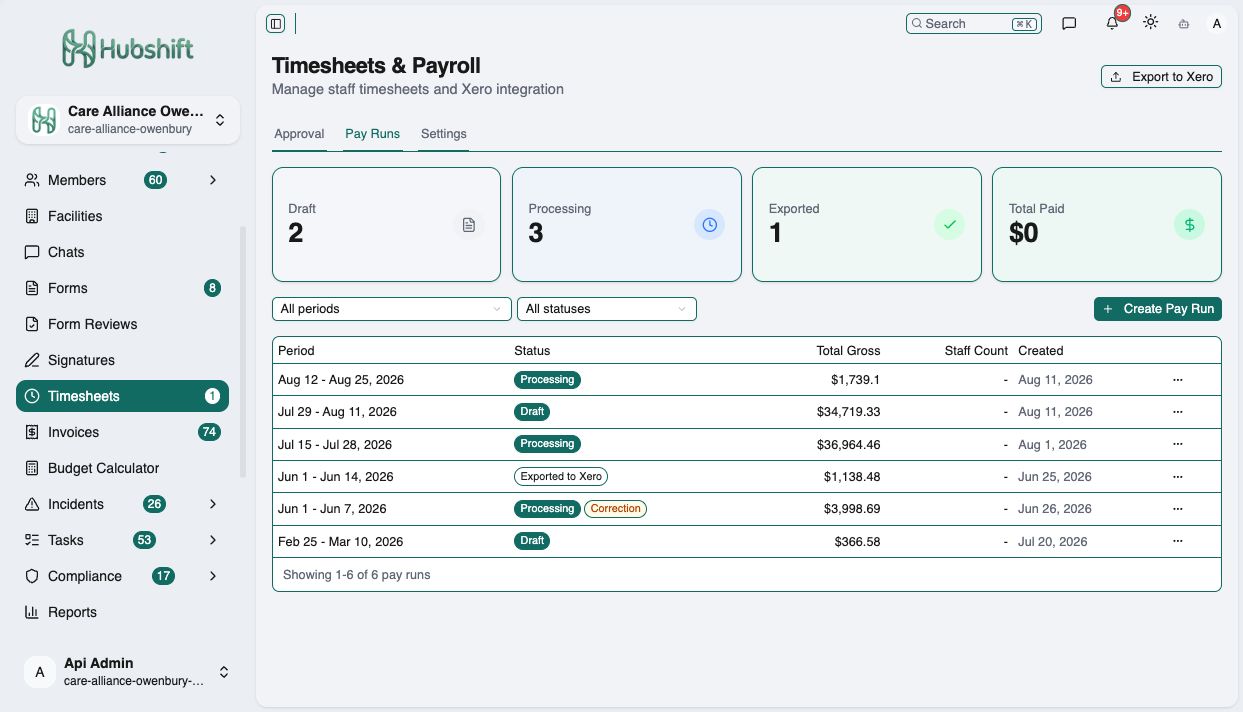
Review pay runs by period and status.
The payroll view brings draft, processing and exported runs into one list, with gross totals, correction labels and filters by pay period and status. Timesheet approvals and payroll settings are available from the same workspace.
From the roster to the progress note.
A mobile workspace for support workers to see upcoming shifts and document the support they provide.
Native mobile app · existing simulator demos · sample content
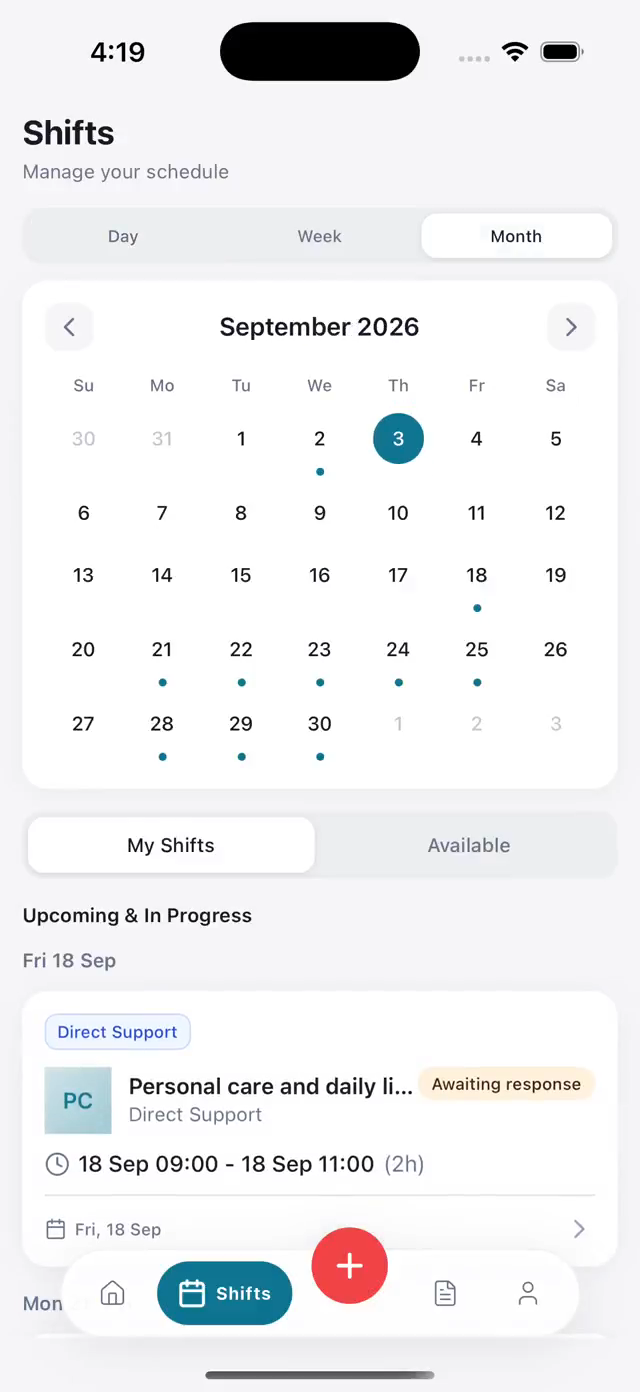
A roster that travels with the worker.
Day, week and month views bring upcoming shifts, available work and offers awaiting a response into the same mobile workspace.
Download the roster walkthrough
The recorded demo covers the roster, shift offers and completed work.
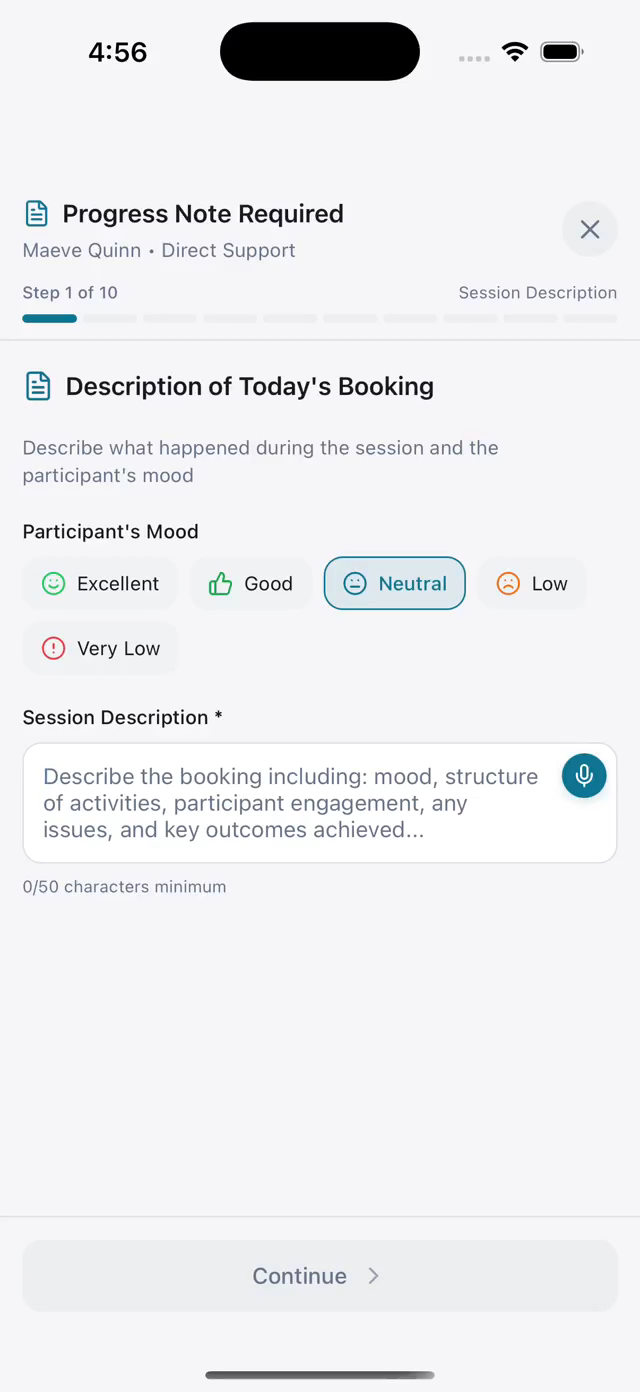
Capture the session while it is fresh.
A guided progress note connects the participant and shift with mood, session details and clear prompts. Workers can type their observations, with a microphone input available beside the note field.
Download the progress-note walkthrough
The recorded demo introduces Manual and AI Assist, then opens the manual entry form. It does not show a submitted note.
Avela CRM
Upcoming product
Workflow and interface preview
A preview of the planned experience for coordinating client programs, daily work and evidence. These captures come from the Avela Platform Demo.
Screens and sample content show the planned experience. Avela CRM remains an upcoming product.
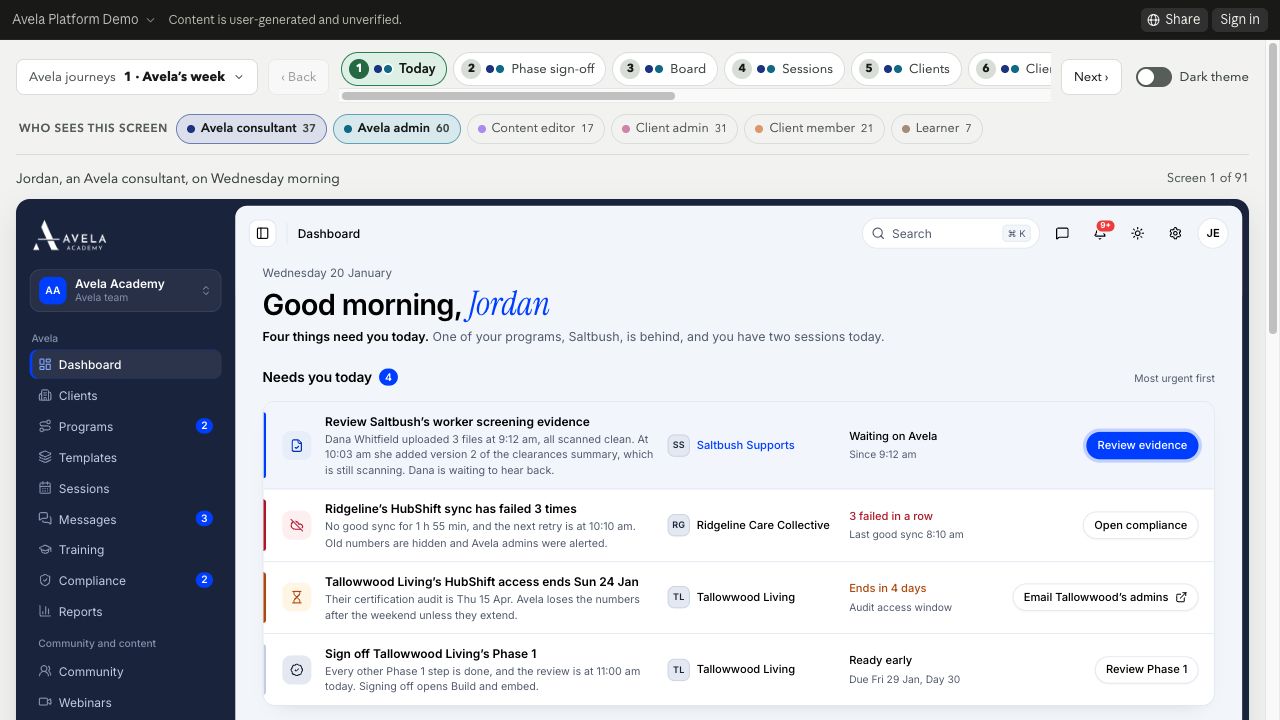
Start with the work that needs attention.
The proposed dashboard brings priorities, client program status and upcoming sessions into a consultant’s daily view.
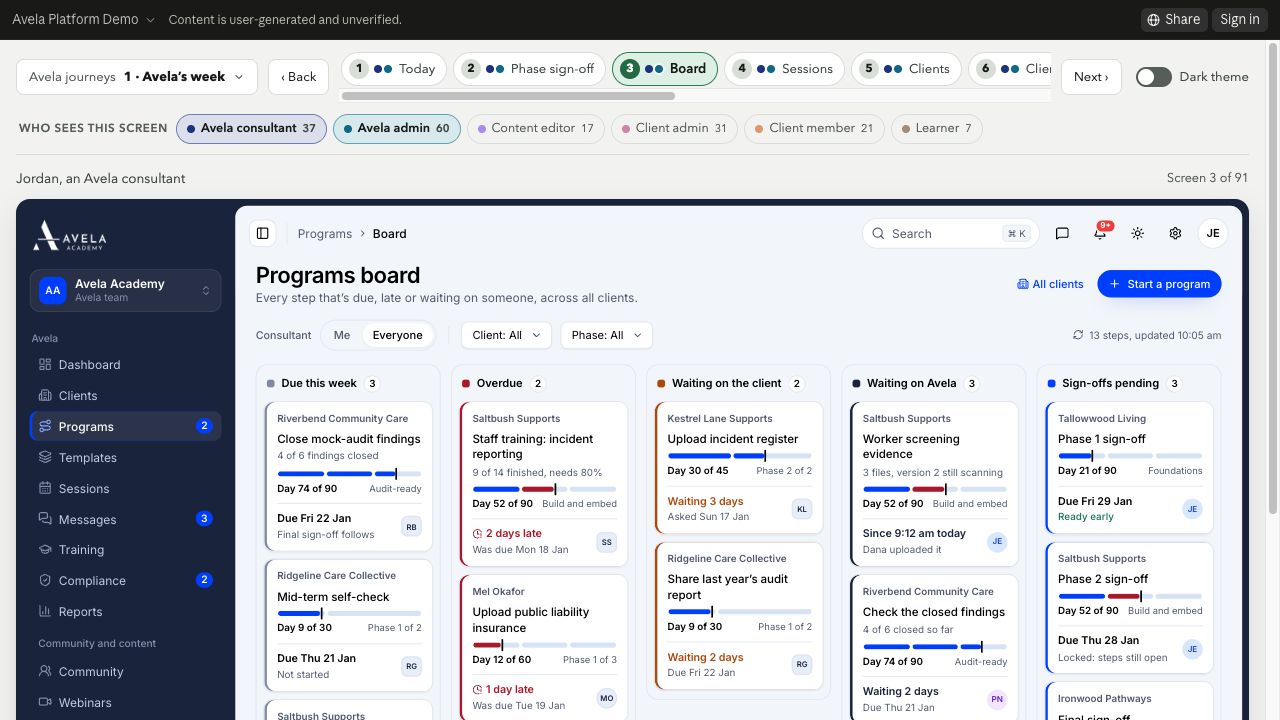
Make program handoffs visible.
The board groups work by what is due, what is waiting on the client or Avela, and what needs sign-off. The prototype explores a shared view of progress and responsibility.
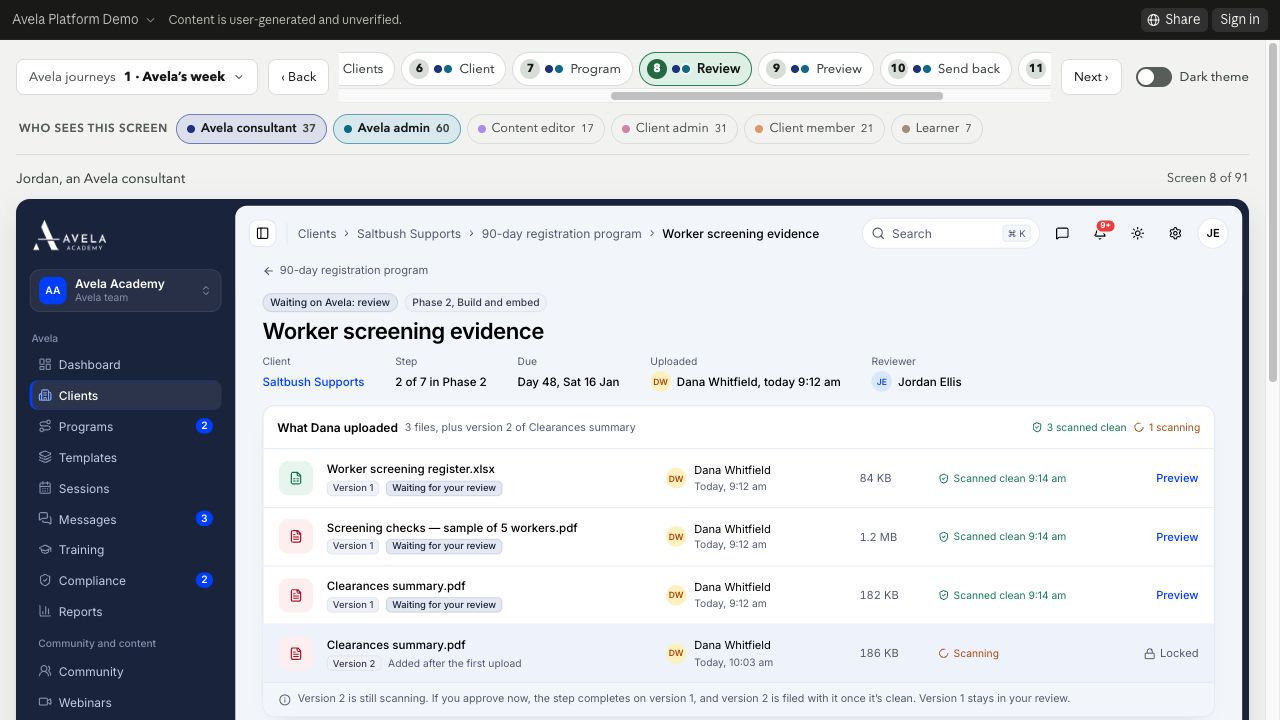
Keep evidence and review context together.
The proposed review screen connects a document with its version, upload status and review context, illustrating how evidence could move through a structured review process.
Have a workflow that needs better software?
Let’s talk about your project